
The WhatsApp Business App is free until it is not enough. Then you face a crowded market of inboxes, BSPs, CRMs with a WhatsApp tab, and automation tools that all claim “official API.”
This buyer’s guide is a practical checklist for SMEs and mid-market teams evaluating platforms in 2026 — and an honest map of where Pyngdesk sits: a WhatsApp Business API operations platform with chats, templates, campaigns, flows, integrations, and organisation roles.
First principles
- Official API only — Prefer Meta Cloud API / official partner paths. Avoid grey “unofficial WhatsApp multi-device” tools.
- You should own the WABA — The business asset stays with your Meta Business Manager.
- Software ≠ Meta fees — Platform subscription and Meta conversation charges are separate.
- Inbox + outbound + automation — Most teams need all three within a year. Buying only a blast tool creates a second migration later.
The 2026 capability checklist
Score each vendor 0–2 on every row (0 = missing, 1 = basic, 2 = strong).
A. Onboarding and ownership
- Embedded Signup / guided WABA connect
- Clear display of phone number, quality rating, connection status
- Admin-only credential handling (no shared Meta passwords for agents)
Pyngdesk: WhatsApp setup with Embedded Signup at /whatsapp/onboarding.
B. Shared inbox
- Multi-agent browser inbox
- Conversation history owned by the organisation
- Usable search / contact context
Pyngdesk: Chats (/chats).
C. Templates
- Create / submit / sync templates
- Status visibility (Pending / Approved / Rejected)
- Campaigns restricted to approved templates
Pyngdesk: Templates (/templates).
D. Campaigns
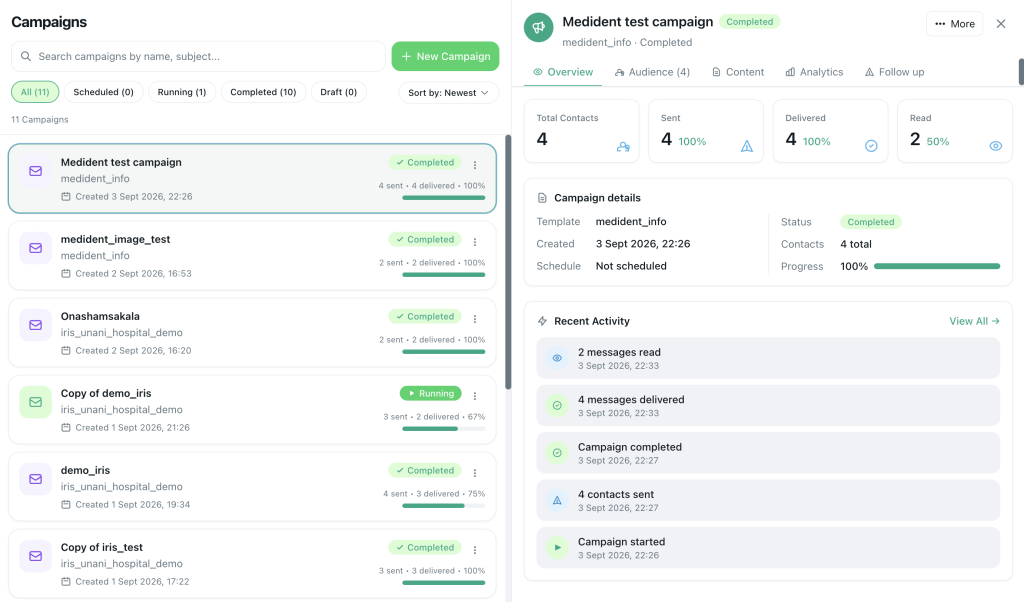
- Audience filters (tags, groups, fields)
- Throttling / schedule windows
- Delivery analytics (sent / delivered / read / failed)
- Blocked-contact exclusion
Pyngdesk: Campaigns (/campaigns).
E. Automation
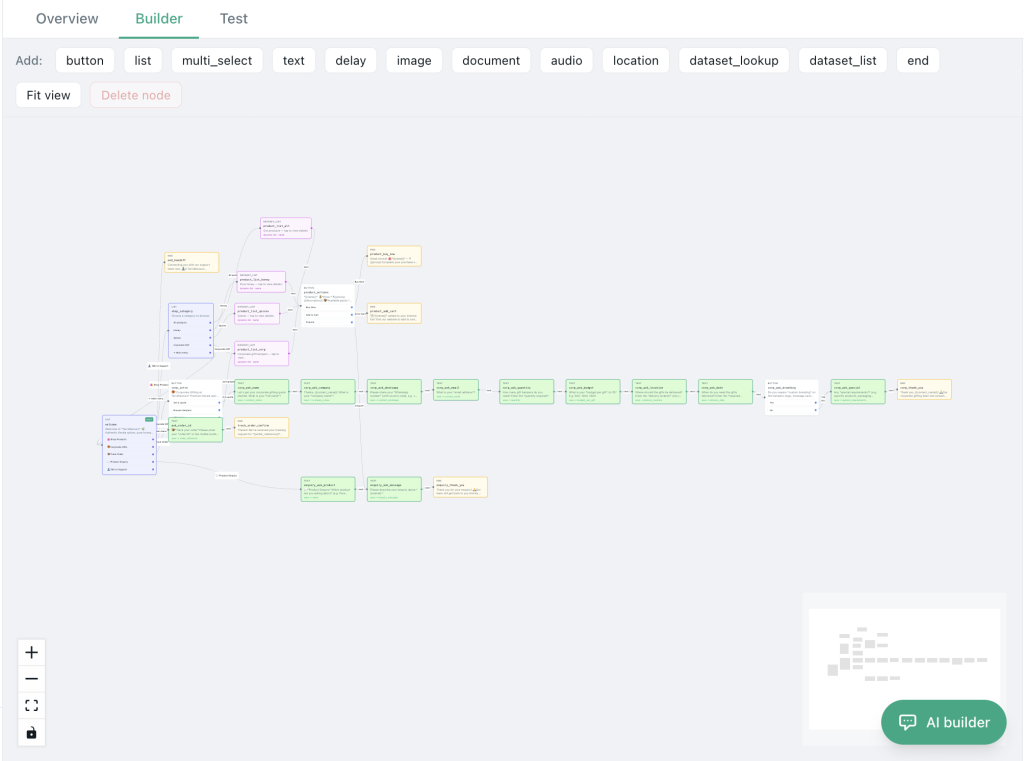
- Visual flows or equivalent bot builder
- Test/dry-run without spamming customers
- Human handoff into the inbox
Pyngdesk: Flows (/flows) with dry-run testing; Quick Replies (/quick-replies).
F. Integrations
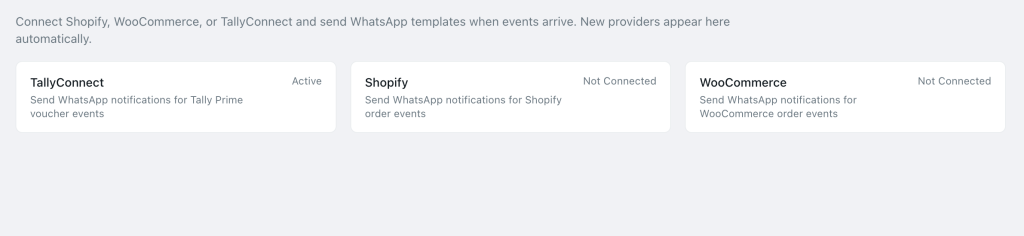
- Ecommerce (Shopify / WooCommerce)
- Accounting / invoices (e.g. Tally)
- PDF / document templates if you bill on WhatsApp
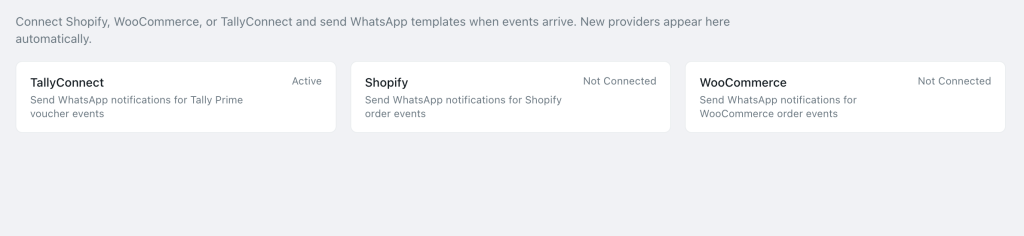
Pyngdesk: Integrations (/integrations) including Shopify, WooCommerce, TallyConnect, PDF templates.
G. Team and governance
- Seats and roles (admin vs agent)
- Invite / remove without password sharing
- Page-level access controls
Pyngdesk: Members, access, billing under /organization/*.
H. Compliance tooling
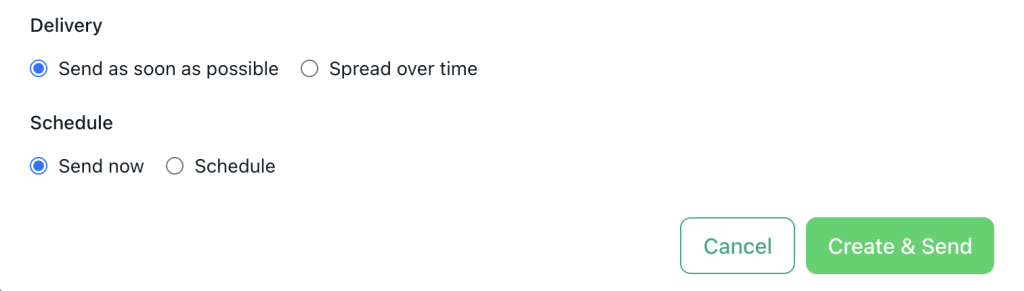
- Opt-out / block handling
- Pacing controls
- Honest guidance (tool cannot bypass Meta policy)
I. Commercial clarity
- Transparent plan limits (seats, campaign volume, storage, AI credits if any)
- No surprise lock-in on your phone number
- Export / data access expectations documented
Pyngdesk: Plan usage via organisation billing / usage APIs; SuperAdmin plans on the platform side for operators.
Questions to ask every vendor
- Who owns the WABA if we cancel?
- How do you handle template status webhooks?
- Can we throttle campaigns by day and time window?
- What happens to chat history on export?
- Which roles can connect or disconnect WhatsApp?
- Are Shopify/Woo/Tally first-class or “Zapier only”?
- How do you price overages?
- What support SLA exists when Meta rejects templates before a sale?
Write the answers down. Marketing pages blur; procurement conversations clarify.
Build vs buy vs “CRM plugin”
| Approach | Pros | Cons |
|---|---|---|
| WhatsApp-first platform (e.g. Pyngdesk) | Deep campaigns/flows/inbox | May need CRM sync later |
| CRM with WhatsApp add-on | Unified customer record | WhatsApp UX often thinner |
| Custom on Cloud API | Total control | You own compliance, inbox UI, and on-call |
Most SMEs should buy a WhatsApp-first tool first, then integrate CRM — unless Salesforce-level process already dominates the company.
Red flags
- Unofficial API / “wa web automation” under the hood
- Guarantees of “no bans ever”
- Must surrender WABA ownership to the vendor
- Only blast tools with no inbox
- No way to exclude opted-out users
- Pricing that hides Meta costs as if they were included forever
How to trial without fooling yourself
- Connect a real or dedicated test number via Embedded Signup
- Approve one utility template
- Run a 50-person opted-in campaign with throttling
- Build a 4-button flow and dry-run it
- Invite one staff user — confirm they never need Meta login
- Send a document/PDF if invoicing matters to you
- Score the checklist above with the whole buying committee
A pretty demo script is not a trial. Your messy real workflow is.
Where Pyngdesk fits
Pyngdesk is built for teams that want:
- Official WhatsApp Business API operations
- Shared inbox + templates + campaigns + flows
- Shopify / WooCommerce / TallyConnect style integrations
- Organisation seats with admin/staff separation
- Practical compliance controls (approved templates, blocks, paced sends)
It is not a promise to override Meta. It is an operating system for teams who want to grow WhatsApp the durable way.
Frequently Asked Questions
Do we still pay Meta if we use Pyngdesk?
Yes — Meta conversation/messaging charges apply per Meta’s pricing. Pyngdesk is the software layer.
Is a BSP required?
You need an official path to the API. Evaluate whether the vendor’s model matches your ownership and support needs.

Leave a Reply
You must be logged in to post a comment.