
“Whose turn is it to check the WhatsApp phone?” is not a workflow. It is how leads go cold and support SLAs quietly die.
Growing teams need a shared WhatsApp inbox: one business number, many agents, one conversation history, and clear rules for who replies. That is a core reason companies move from the WhatsApp Business App to the WhatsApp Business API with a platform like Pyngdesk.
This guide shows how to design a shared inbox for mixed sales + support teams without chaos.
Why phone sharing fails
Common failure modes:
- Two people reply to the same customer with conflicting answers
- Night messages sit unseen until morning
- Freelancers keep access after projects end
- No searchable history when a key person resigns
- Personal devices hold business conversations (compliance risk)
A shared API inbox fixes ownership: the organisation owns the channel; people get seats.
What “shared inbox” means on the API
With Pyngdesk connected to your WABA:
- Customers still message your display phone number.
- Messages arrive in Chats (
/chats) for everyone with access. - Admins and staff reply from the browser.
- History stays with the organisation — not on one handset.
Staff should not need the Meta Business password. Invite them under Organisation → Members (/organization/members).
Design the operating model before you invite everyone
1. Define queues by intent
Even in one inbox, agree mental (or tagged) queues:
- Sales — pricing, demos, “is this available?”
- Support — orders, complaints, warranty
- Transactional — automated updates that may still need human follow-up
Use contact tags in Contacts (/contacts) such as lead, customer, vip, support-open so agents see context quickly.
2. Write handoff rules
Simple rules beat fancy process theatre:
- First reply within X minutes during business hours
- If a sales chat becomes a complaint, tag
supportand @-mention (or verbally hand off) per your team chat - Never argue policy across two agents in the same thread — one owner at a time
3. Separate admin duties from agents
| Role | Typical work |
|---|---|
| Admin | WhatsApp setup, billing, invites, access, integrations |
| Staff | Chats, contacts, templates usage, campaigns/flows as permitted |
Keep Meta and billing with admins. Let staff live in Chats.
Set up the shared inbox in Pyngdesk
Step 1: Connect WhatsApp
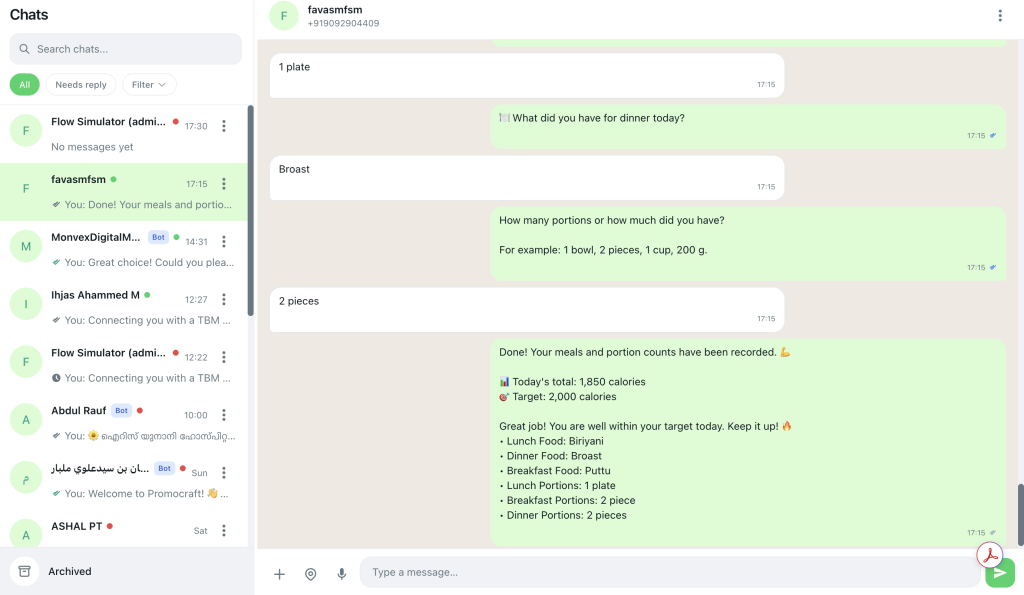
Go to WhatsApp setup (/whatsapp/onboarding). Prefer Embedded Signup. Confirm the number and quality rating before promising customers 24/7 coverage.
Step 2: Invite the team
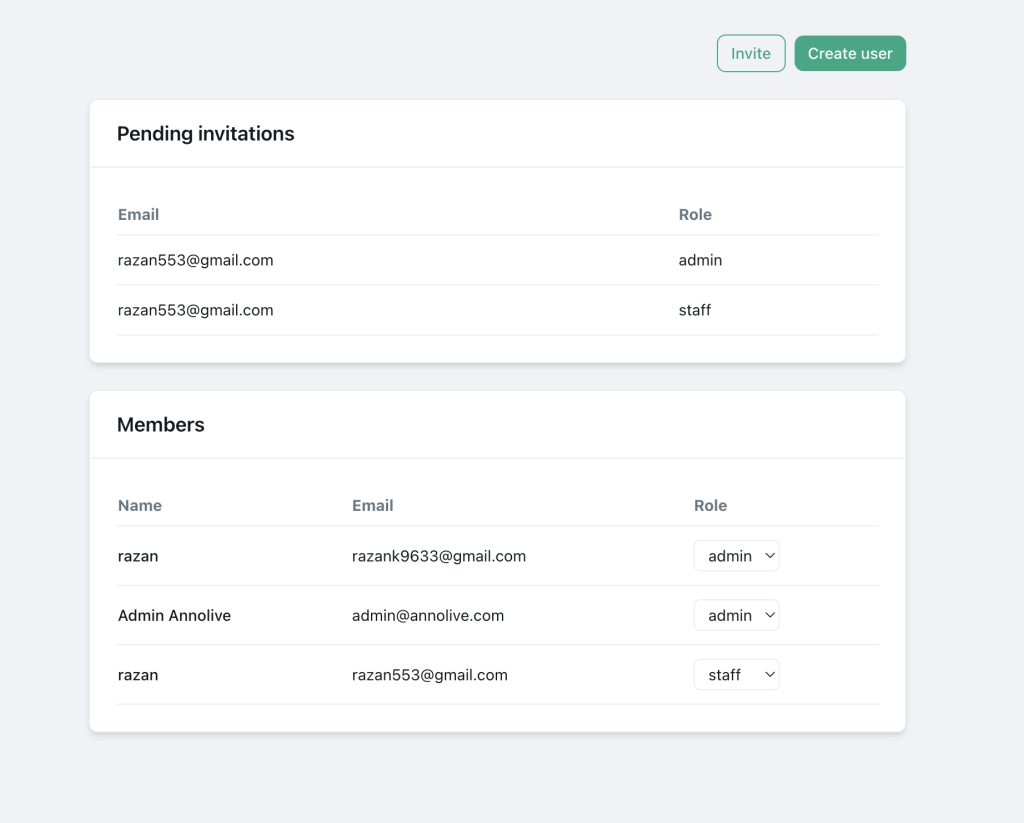
Organisation → Members → invite by email with admin or staff. Remove access when people leave — do not recycle a shared password.
Step 3: Align on Chats hygiene
In Chats (/chats):
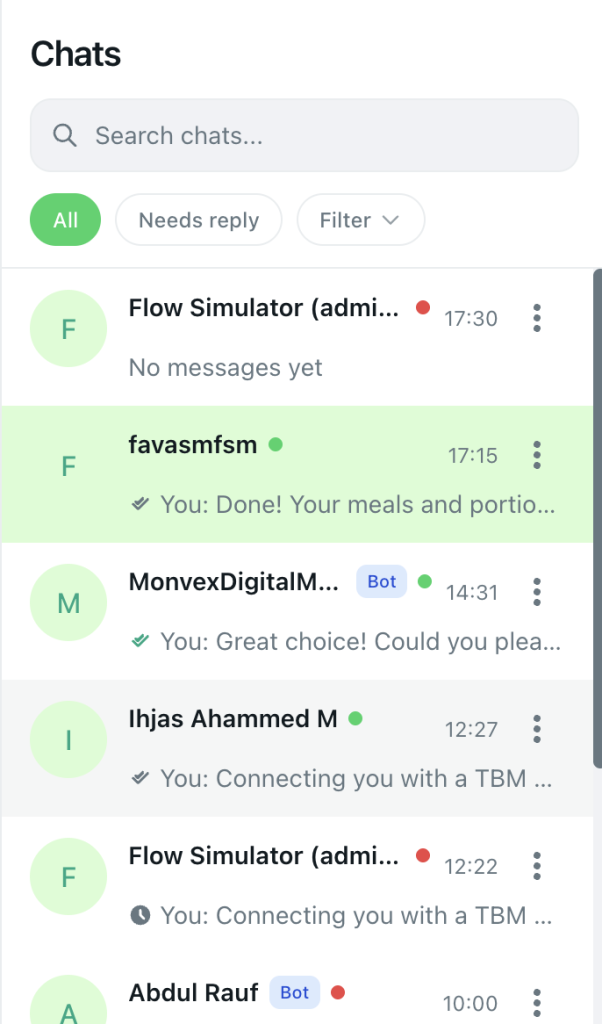
- Open the thread before typing (avoid double replies)
- Use customer name and order context from the contact record
- Mark contacts blocked when they opt out of marketing
- Keep tone consistent — shared inbox means shared brand voice
Step 4: Add speed tools
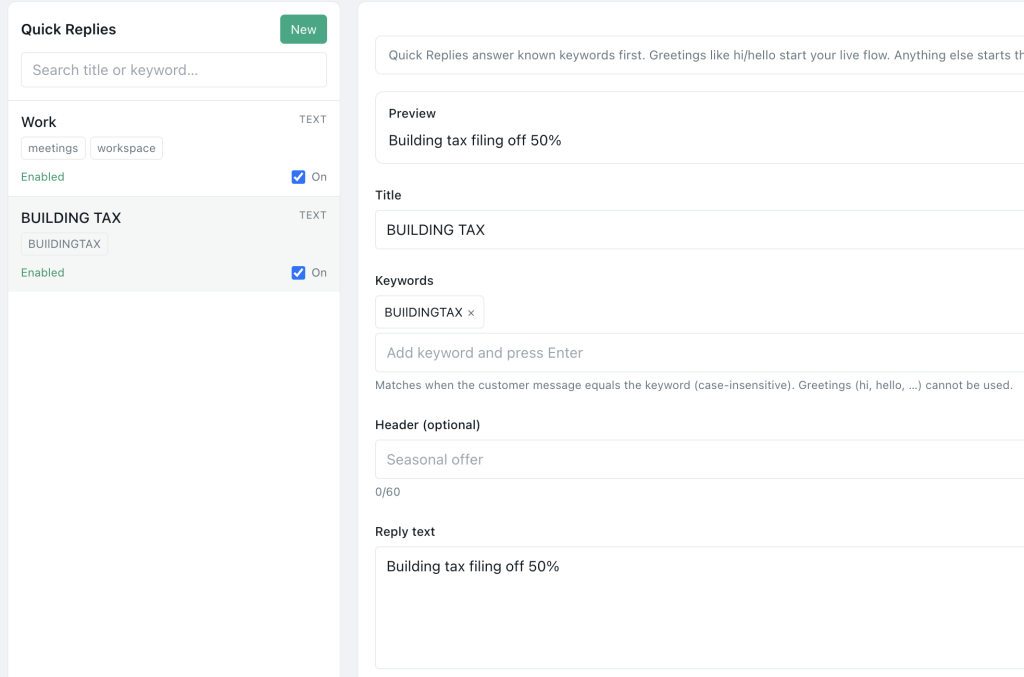
- Quick Replies (
/quick-replies) for FAQs, hours, pricing tables, address - Flows (
/flows) for after-hours menus, location, catalogues of common paths - Templates (
/templates) for structured follow-ups outside the 24-hour window
Automations should route or inform, not trap customers in endless loops when they ask for a human.
Sales and support together without conflict
Mixed teams work when the inbox has norms:
Sales habits
- Qualify quickly; log next step in your CRM if you use one
- Do not over-promise delivery dates support cannot meet
- Use approved marketing templates only for opted-in leads
Support habits
- Lead with empathy and a ticket/order ID
- Escalate product defects to a named owner
- Avoid dumping long policy walls; offer a clear resolution path
Shared habits
- One active owner per conversation
- Internal notes live outside WhatsApp if private (do not accidentally send internal chatter to the customer)
- Review tough threads weekly for coaching
Metrics that show the inbox is healthy
Track weekly:
- Median first response time (business hours)
- Open conversations older than 24 hours
- Repeat contacts for the same issue (quality signal)
- Block / STOP rates after campaigns (marketing hygiene)
- Agent workload balance (one hero agent is a bus factor)
Pyngdesk campaign analytics help on outbound; for inbound, use response discipline and tagging until you add deeper reporting.
After-hours and overflow
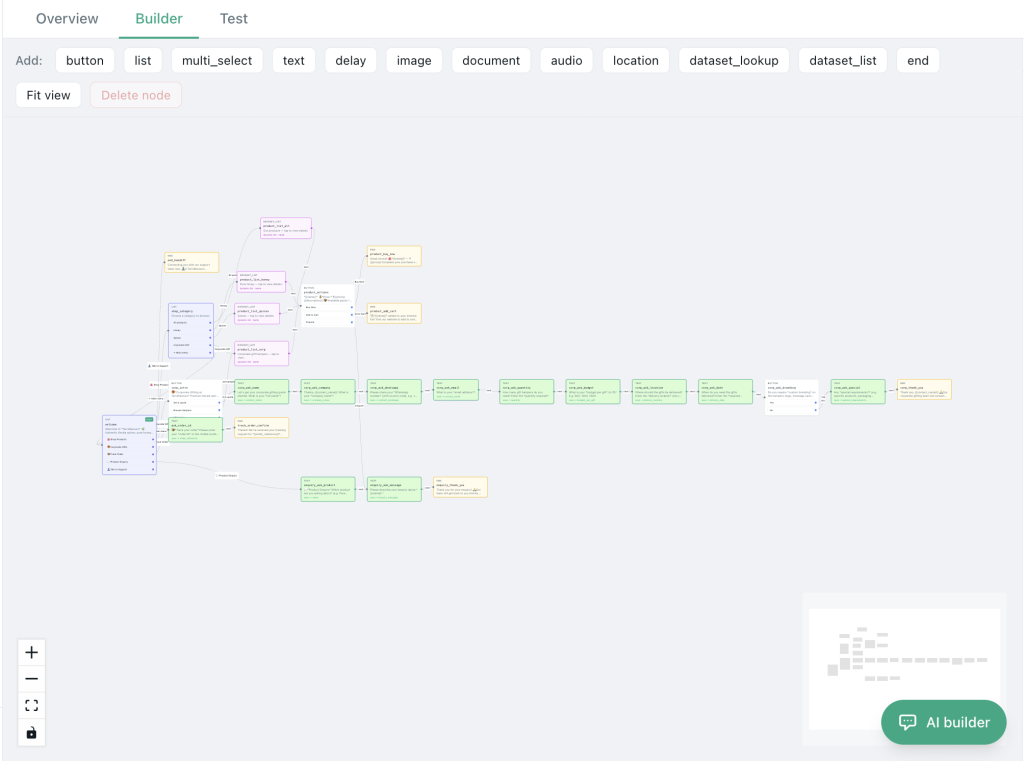
Options that work for SMEs:
- Flow greeting explaining hours + capturing intent
- On-call rota with staff notified via your internal tools
- Utility templates next morning for appointment or order confirmations
- Clear expectation setting — “We reply 9:00–18:00 IST”
Never pretend to be a human when a bot is replying. Trust compounds faster than fake presence.
Shared inbox checklist
- WABA connected; team uses Pyngdesk Chats, not a shared phone
- Members invited with correct roles; ex-staff removed
- Tags for lead/customer/VIP/support
- Quick replies for top 10 questions
- Handoff rules written and agreed
- After-hours flow or auto-reply in place
- Opt-outs blocked promptly
Frequently Asked Questions
Can sales and support use different WhatsApp numbers?
They can, but most SMEs do better with one brand number and clear internal ownership. Multiple numbers split customer trust.
Will agents see each other’s replies?
Yes — that is the point of a shared inbox. Train people to read the last messages before sending.
Is this compliant with Meta rules?
Using the official API with proper opt-in for marketing is the compliant path. Sharing consumer app logins is the fragile path.

Leave a Reply
You must be logged in to post a comment.