
Order confirmation emails still matter. Many customers, especially on mobile-first markets, will open a WhatsApp update faster than they will dig through a promotions inbox.
If you run Shopify or WooCommerce, you can turn store events into clear WhatsApp messages — confirmations, shipping notices, and careful recovery nudges — without copy-pasting tracking links by hand.
This guide covers the playbook and how Pyngdesk integrations fit in.
Why ecommerce + WhatsApp works
- High open behaviour versus email alone
- Natural place for “Where is my order?” follow-ups in the same thread
- Utility templates align with what customers expect after checkout
- Support can continue in the shared inbox when something goes wrong
The risk is over-messaging. Transactional clarity first; marketing second — and only with opt-in.
Message types that deserve WhatsApp
| Event | Template category (typical) | Notes |
|---|---|---|
| Order confirmed | Utility | Include order ID and expected next step |
| Shipped / out for delivery | Utility | Tracking link or courier name |
| Delivered | Utility | Short; invite issues to reply |
| Payment failed / COD confirm | Utility | Reduce failed deliveries |
| Abandoned checkout | Marketing (usually) | Needs marketing opt-in; keep soft |
| Post-purchase cross-sell | Marketing | Separate consent; do not piggyback silently on COD numbers alone |
When unsure, ship utility templates first. Earn quality rating before promotional sequences.
Architecture: store → Pyngdesk → WhatsApp
- Customer checks out on Shopify or WooCommerce.
- Your integration in Pyngdesk receives or maps the event.
- An approved template sends via the WhatsApp Business API.
- Customer replies land in Chats (
/chats) for humans. - Optional PDF or rich content where your integration supports attachments
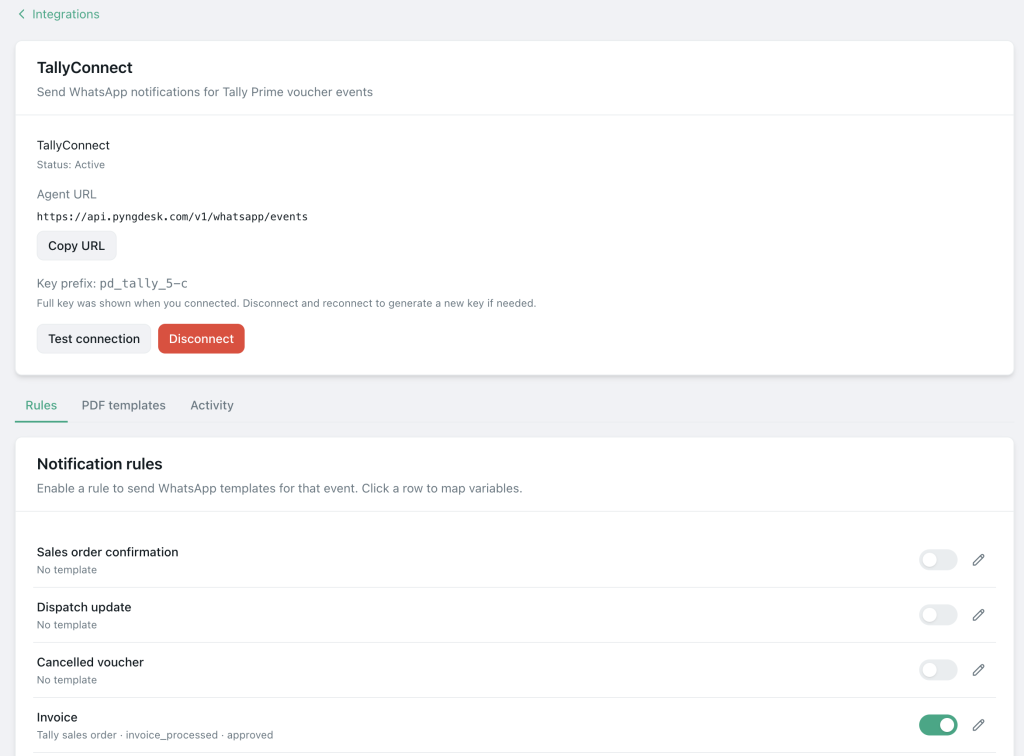
Open Integrations (/integrations) and choose Shopify or WooCommerce, then configure the provider detail page (/integrations/:provider).
Setup checklist in Pyngdesk
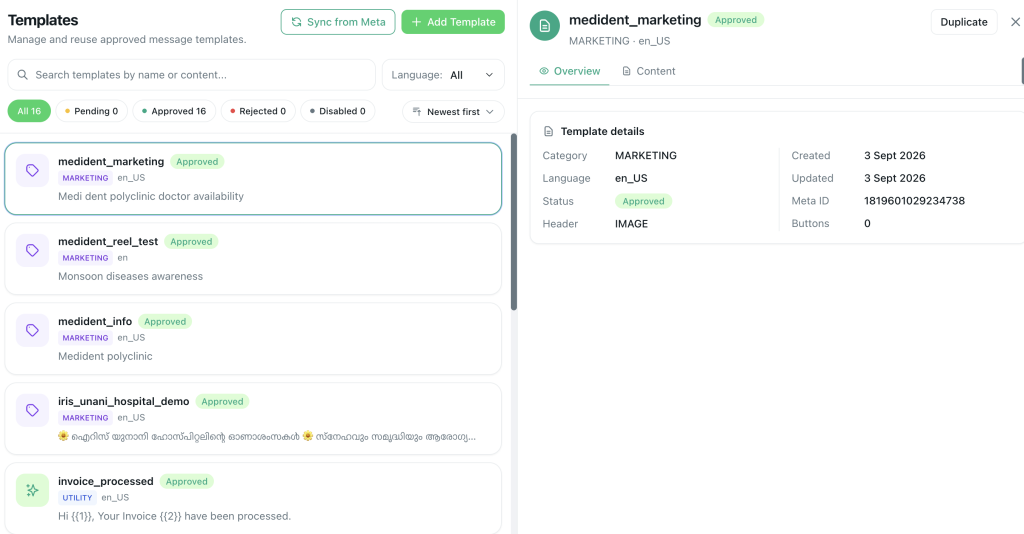
- Connect your WABA under WhatsApp setup (
/whatsapp/onboarding). - Create and approve utility templates in Templates (
/templates) — e.g.order_confirmed_v1,order_shipped_v1. - Connect Shopify or WooCommerce in Integrations.
- Map store fields to template variables (name, order id, tracking URL).
- Send test orders in a staging or low-risk mode first.
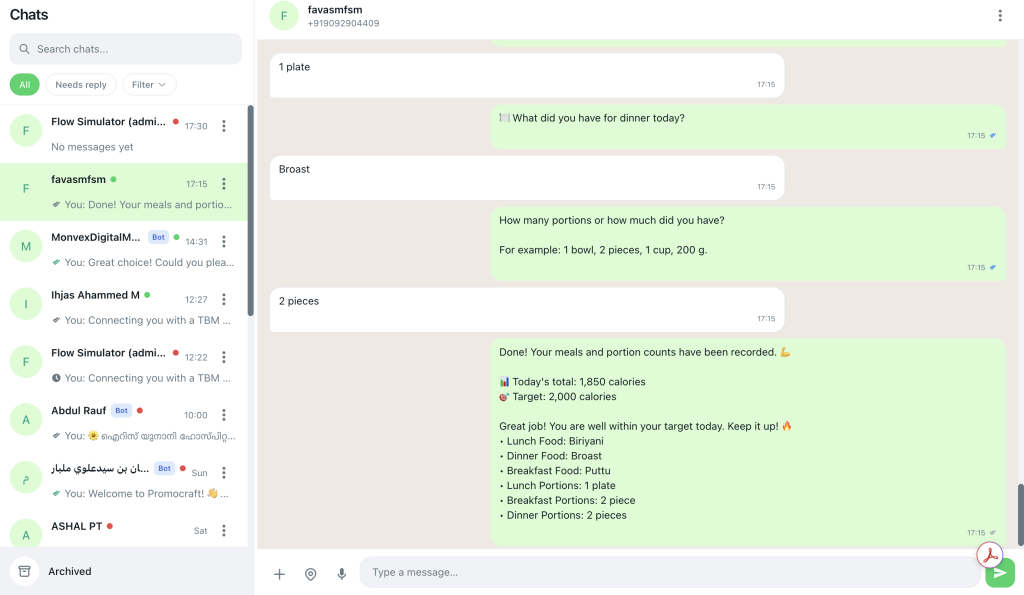
- Train support to recognise automated messages in Chats and continue helpfully.
- Tag ecommerce buyers in Contacts (
/contacts) for later segmented campaigns — without spamming.
Copy patterns that reduce “Where is my order?” tickets
Order confirmed
“Hi {{1}}, we received order {{2}}. We will message you when it ships. Reply here if you need changes.”
Shipped
“Hi {{1}}, order {{2}} shipped via {{3}}. Track: {{4}}.”
Delivered nudge
“Hi {{1}}, order {{2}} shows delivered. If something is wrong, reply and we will help.”
Avoid stacking three marketing upsells onto every shipping notice. Protect trust.
Abandoned cart — do it carefully
Abandoned-cart WhatsApp can convert — and also attract blocks if misused.
Rules:
- Confirm marketing opt-in at checkout or account creation for this use case
- Wait a sensible delay (not 30 seconds after bounce)
- One reminder is often enough; two maximum for most SMEs
- Use honest copy: “You left items in your cart,” not fake scarcity every time
- Exclude purchasers who completed checkout
In Pyngdesk, keep abandoned-cart audiences tagged separately from pure transactional contacts.
Operational tips for peak sales (festive / sale days)
- Pre-approve templates before the sale starts — do not invent copy on launch morning
- Watch quality rating and failed sends during spikes
- Staff the inbox; automation increases replies
- Prefer throttled marketing campaigns; keep utility order updates timely
- Document which template fires for which store event so support can explain messages
Metrics to watch
- Ticket volume for “order status” before vs after WhatsApp updates
- Delivery and read rates on utility templates
- Cart recovery rate (if running marketing reminders)
- Block rate after cart messages
- Time-to-first-response on exception chats (failed delivery, wrong item)
Ecommerce WhatsApp checklist
- WABA connected; quality Green preferred
- Utility templates approved for confirm / ship / deliver
- Shopify or WooCommerce connected in Integrations
- Variables mapped and tested on a real test order
- Marketing opt-in separated from transactional SMS/email consent if required by your policy
- Support ready in Chats
- Abandoned-cart capped and soft
Frequently Asked Questions
Do customers need to message us first for order updates?
Utility templates let you notify after purchase when policy and opt-in rules are met. Follow Meta’s current commerce and messaging requirements for your region.
Can I use the same template for Shopify and WooCommerce?
Often yes if variables match. Keep naming clear (order_shipped_v1) and test each store integration.
What if tracking links change per courier?
Pass the URL as a template variable from the store event payload.

Leave a Reply
You must be logged in to post a comment.