If your books live in Tally, the invoice already exists — the bottleneck is delivery. Someone exports a PDF, hunts for the customer’s number, and forwards it from a personal WhatsApp. That does not scale, and it does not leave a clean organisational trail.
TallyConnect in Pyngdesk is built for that gap: connect accounting workflows to WhatsApp, render PDFs from voucher-oriented layouts, and notify customers on the Business API channel your team already uses.
The problem TallyConnect solves
Typical SME pain:
- Invoice ready in Tally; customer waits on WhatsApp
- Staff use personal phones for official PDFs
- Wrong number / wrong firm name mistakes
- No shared history when the accountant is away
- Marketing tools and accounting tools never meet — which is fine — but transactional messaging still needs a bridge
TallyConnect focuses on notifications and document delivery, not replacing Tally itself.
What you can enable
Depending on configuration in your organisation:
- WhatsApp notices when invoices/vouchers are ready
- HTML PDF templates styled like Tally voucher layouts, rendered and attached
- Field mapping from voucher data into templates
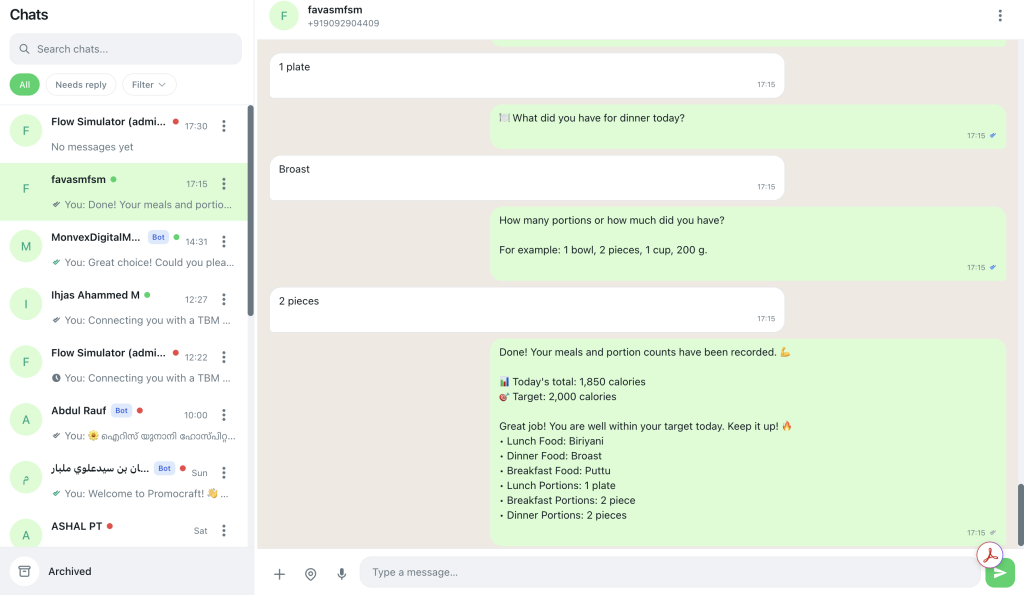
- Customer follow-up continuing in Chats (
/chats)
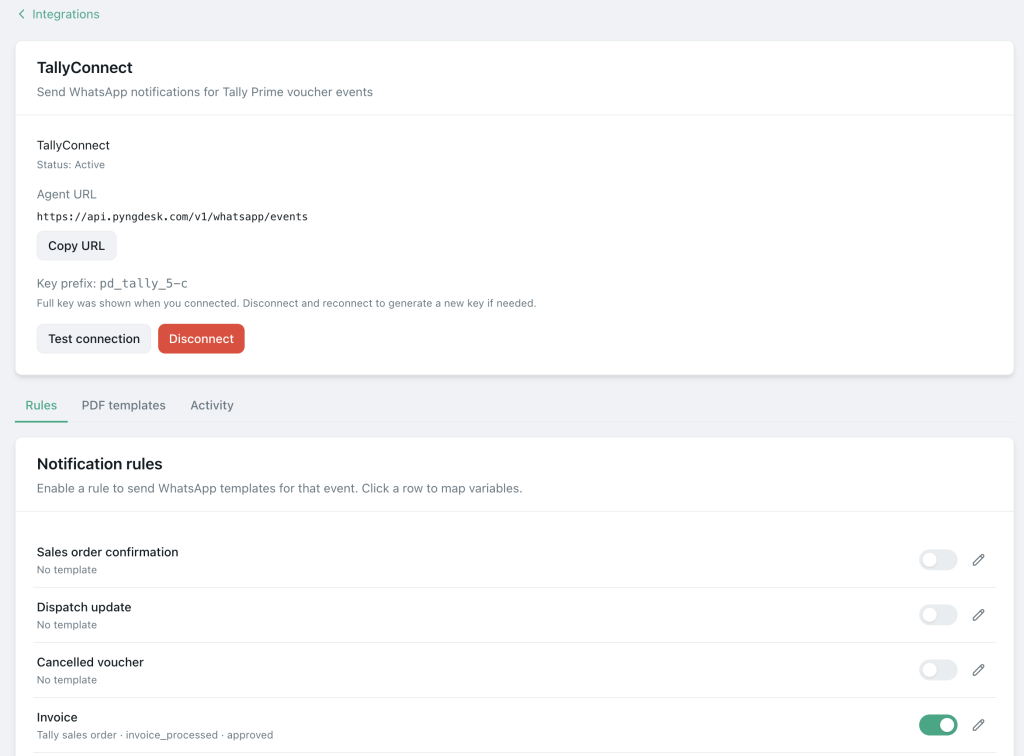
Entry point: Integrations (/integrations) → TallyConnect → detail + PDF templates panels.
Suggested end-to-end workflow
- Connect WABA —
/whatsapp/onboarding - Connect TallyConnect —
/integrations→ TallyConnect - Pick a PDF sample layout — start from a Tally voucher sample, then customise
- Map fields — invoice number, party name, amount, date, etc.
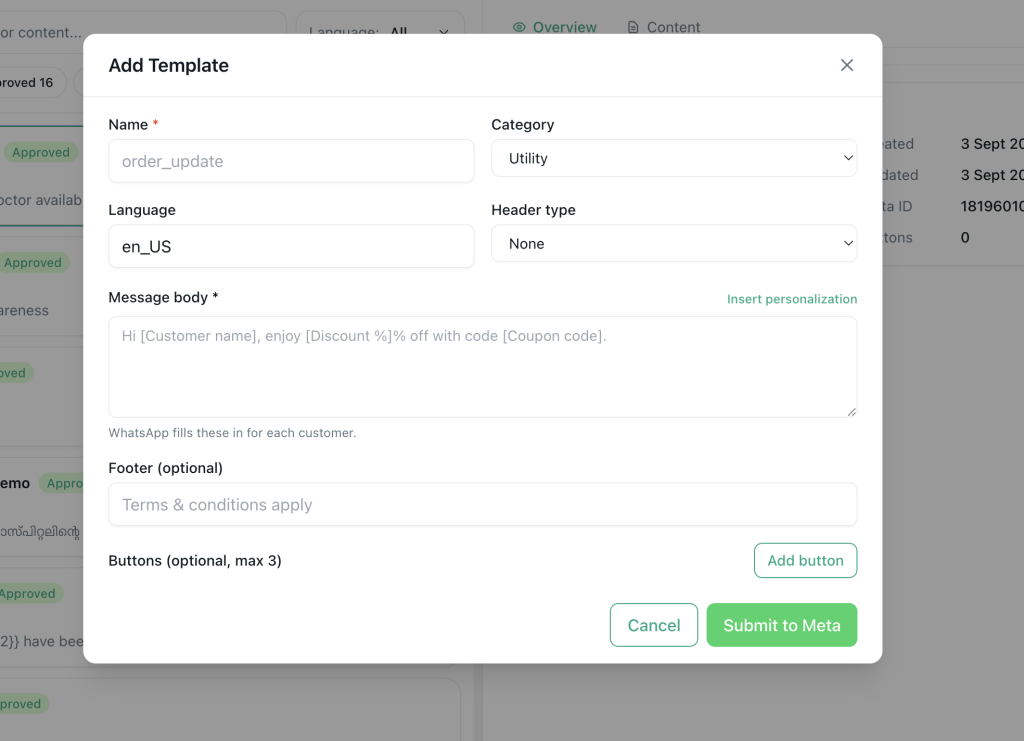
- Approve a utility WhatsApp template — short notice that an invoice PDF is attached / available
- Test with an internal party — fictional or staff party master
- Go live for selected voucher types
- Monitor Chats for payment confirmations and disputes
Designing voucher PDFs for WhatsApp

Borrow the mobile rules from invoice-on-WhatsApp practice:
- Prioritise amount due and invoice number
- Keep legal headers correct (business name, GSTIN where applicable)
- Avoid dense ledgers on page one — summarise, detail on following pages only if required
- Preview before saving the PDF template
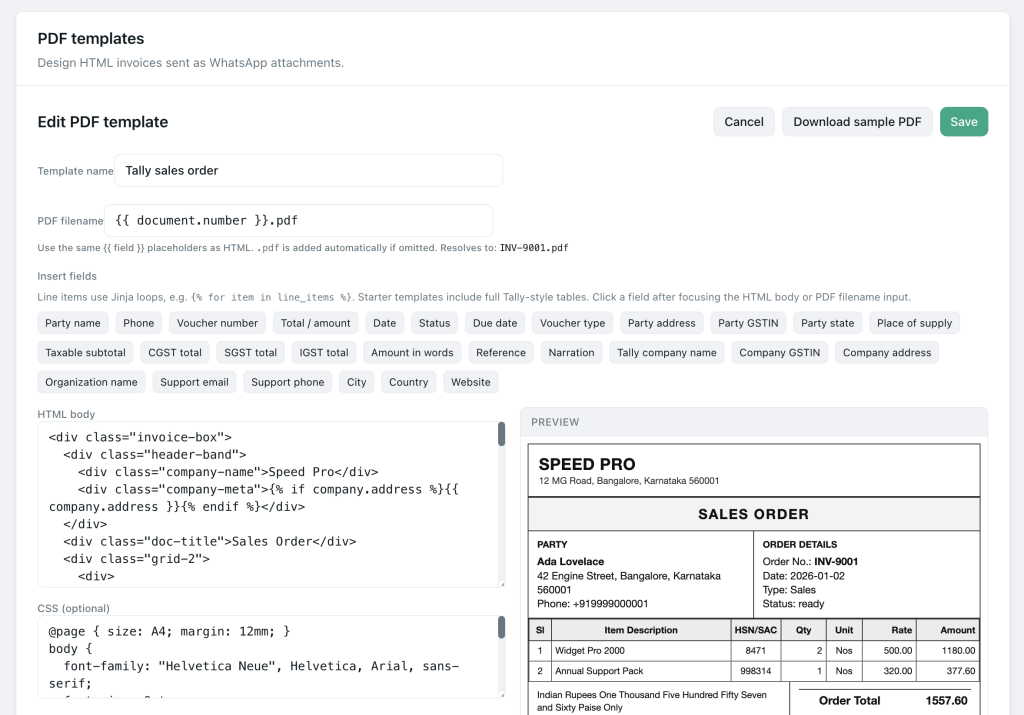
In Pyngdesk’s sample picker, choose a layout close to your voucher type, then adjust HTML/fields rather than designing from a blank page.
Utility message examples
Invoice ready
“Hi {{1}}, invoice {{2}} dated {{3}} for {{4}} is attached. Reply here if you need a correction.”
Payment reminder (gentle)
“Hi {{1}}, reminder: invoice {{2}} for {{3}} is due on {{4}}. Reply if you have already paid.”
Keep reminders factual. Aggressive collections copy increases blocks and arguments.
Controls accountants care about
| Concern | Practice |
|---|---|
| Wrong party | Test mappings; confirm phone on contact master |
| Unauthorised sends | Limit who can configure integrations (admins) |
| Audit trail | Prefer org inbox over personal forwarding |
| Edits after send | Send revised PDF with clear “revised invoice” note |
| Mixed marketing | Do not attach offers to every ledger notice |
Admins manage integrations; staff can handle resulting conversations if your roles allow.
Change management for the accounts team
Rolling out TallyConnect is partly cultural:
- Show a side-by-side: old forward vs new WhatsApp document in Pyngdesk
- Run one week parallel (Tally PDF + WhatsApp) for VIP customers
- Collect errors (wrong amount, missing field) into a template fix list
- Only then disable personal forwarding for those voucher types
Training beats a sudden cutover.
Launch checklist
- WABA connected; quality healthy
- TallyConnect connected in Integrations
- PDF template saved and previewed on mobile
- Utility template approved in Templates
- Test voucher sent to internal number
- Contacts have correct phones for parties you will notify
- Staff know how to continue in Chats
- Personal WhatsApp forwarding retired for covered cases
Frequently Asked Questions
Does this replace Tally?
No. Tally remains the system of record. Pyngdesk delivers messages and PDFs.
Can we customise the HTML invoice?
Yes — PDF templates are designed to be adjusted after picking a sample layout.
What if a customer disputes the invoice?
Keep the conversation in Chats, issue a revised voucher in Tally, and send an updated PDF with clear labelling.